0 ratings
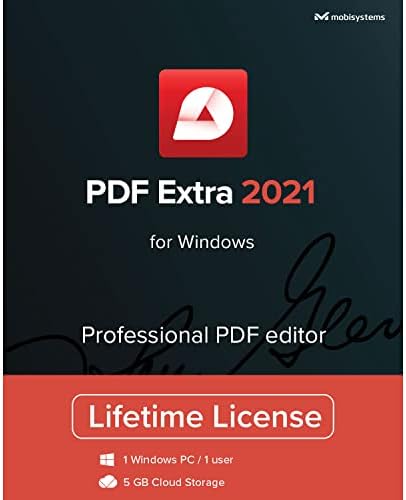
PDF Extra 2021 - Professional PDF Editor Edit, Protect, Annotate, Fill and Sign PDFs - 1 Windows PC1 UserLifetime license
PDF Extra 2021 is the ultimate professional PDF editor.
PDF Extra 2021 - Professional PDF Editor Edit, Protect, Annotate, Fill and Sign PDFs - 1 Windows PC1 UserLifetime license

PDF Extra 2021 - Professional PDF Editor Edit, Protect, Annotate, Fill and Sign PDFs - 1 Windows PC1 UserLifetime license

0 ratings Write a review
Out of stock
us Imported from USA store
Our Top Logistics Partners
  • fedex
  • dhl
PDF Extra 2021 is the ultimate professional PDF editor.
U-Care Warranty:
None
Select a Plan
fast shipping

Fast
Shipping

free return

Free
Return*

secure packaging

Secure Packaging

100% original products

100% Original Products

pci-dss

PCI DSS Compliance

iso certified

ISO 27001 Certified


paypal payment
visa payment
mastercard payment
Note: Step Down Voltage Transformer required for using electronics products of US store (110-120). Recommended power converters Buy Now.

What Stands Out

Professional Editing
PDF Extra 2021 provides advanced editing tools, allowing users to modify text, images, and layouts effortlessly, making it a perfect choice for professionals needing versatile document management.
Comprehensive Protection
With strong security features, users can easily protect their PDF files with passwords and permissions, ensuring confidentiality and safe sharing for sensitive documents.
Lifetime License
This product offers a lifetime license for one user on a single Windows PC, providing long-term value without recurring costs, unlike subscription-based services.

Product Details

Shop PDF Extra 2021 - Professional PDF Editor Edit, Protect, Annotate, Fill and Sign PDFs - 1 Windows PC1 UserLifetime license online at a best price in Botswana. B08SJGNB2J
  • Edit pages, text, images & designs in PDF documents
  • Convert PDFs to Word, Excel & ePub
  • Fill & Digitally Sign PDF Forms
  • Includes 5 GB MobiDrive cloud storage
  • View and Annotate PDFs with intuitive viewing experience & document commenting
  • Protect and Encrypt PDFs to restrict opening, editing, or printing with Advanced Digital Certification
Item Weight1 lbs (450 grams)

Who Should Buy?

Suitable For
  • Freelance Professionals

    Ideal for freelancers who need to edit, sign, and annotate PDF documents regularly without subscription fees.

  • Small Business Owners

    Useful for small business owners seeking an efficient way to manage contracts and documents with editing and protection features.

  • Students and Academics

    Great for students requiring tools to annotate and fill in PDF files for assignments or research papers.

Not Suitable For
  • Heavy Users

    Not ideal for users who need advanced OCR or collaboration features found in more specialized software.

Product Description

PDF Extra 2021 - Professional PDF Editor Edit, Protect, Annotate, Fill and Sign PDFs - 1 Windows PC1 UserLifetime license

Have any Query? Chat with us

Customer Questions & Answers

  • Question: What features does PDF Extra 2021 offer?

    Answer: PDF Extra 2021 is a robust PDF editor that allows you to edit, protect, annotate, fill, and sign PDFs effortlessly. Its editing capabilities let you modify text and images directly in the PDF. Protection features include password encryption to secure your documents, while annotations help in collaboration. Use cases can range from editing resumes to signing contracts, making it a versatile tool for both personal and professional users.
  • Question: Is PDF Extra 2021 compatible with my Windows PC?

    Answer: Yes, PDF Extra 2021 is designed for compatibility with Windows operating systems. It ensures a smooth performance across various Windows versions, assuring users that their documents will be editable and secure. This makes it an ideal choice for users working in corporate environments or students who frequently handle PDF files on their Windows PC.
  • Question: How can I protect my PDFs using PDF Extra 2021?

    Answer: To protect your PDFs in PDF Extra 2021, you can apply password encryption, which restricts unauthorized access to your documents. Simply select the security settings within the program to set a password and control permissions. This is especially useful for sensitive documents like financial records or legal contracts, ensuring that only authorized individuals can view or edit them.
  • Question: Can I fill out forms with PDF Extra 2021?

    Answer: Absolutely! PDF Extra 2021 allows users to fill out forms directly within the PDF. Just open the form in the editor, click on the fields, and enter your information. This feature is particularly beneficial for filling out applications or surveys without needing to print the documents, streamlining the process of submitting required information.
  • Question: How do I sign PDFs with PDF Extra 2021?

    Answer: Signing PDFs with PDF Extra 2021 is straightforward. Users can either draw their signature, upload an image of their signature, or type their name using a preferred font style. This feature enhances document authenticity and is ideal for formal agreements and contracts, ensuring that users can sign and send documents digitally.
  • Question: What are the system requirements for PDF Extra 2021?

    Answer: PDF Extra 2021 requires a Windows operating system with at least 2GB of RAM and adequate disk space for installation. It is recommended to have an up-to-date version of Windows for optimal performance. These requirements ensure that the software runs smoothly, allowing users to handle complex PDF tasks without latency or interruptions.
  • Question: Can I use PDF Extra 2021 for business purposes?

    Answer: Yes, PDF Extra 2021 is an excellent choice for business use due to its comprehensive PDF editing features. It allows professionals to create, edit, and secure documents for client presentations, proposals, and internal communications. Businesses dealing with contracts or sensitive information can particularly benefit from its robust security and editing options.
  • Question: Is a lifetime license really beneficial?

    Answer: A lifetime license for PDF Extra 2021 means you pay once and gain permanent access to the software without ongoing subscription fees. This is advantageous as it saves money in the long run, especially for users who frequently work with PDFs. It allows you to receive updates and maintain access to advanced features without additional costs, making it a valuable investment.
  • Question: Where can I buy PDF Extra 2021 in Botswana?

    Answer: You can purchase PDF Extra 2021 from Ubuy in Botswana. Ubuy offers a reliable platform for acquiring the software, ensuring a seamless purchasing experience while also providing customer support. This option is ideal for local consumers looking to enhance their PDF editing capabilities instantly.
  • Question: How can I annotate PDFs in PDF Extra 2021?

    Answer: Annotating PDFs in PDF Extra 2021 is intuitive and user-friendly. You can add comments, highlight text, and insert shapes or stamps to emphasize important sections. This feature is crucial for collaborative projects and reviews, as it enables users to share their thoughts and feedback directly on the document, making it easier for others to implement suggestions.

mobisystems Office Suites Editorial Review

No editorial reviews found

Customer Reviews & Ratings

5.0
1 customers ratings
  • 5 Star
    100%
  • 4 Star
    0%
  • 3 Star
    0%
  • 2 Star
    0%
  • 1 Star
    0%

Review this product

Share your thoughts with other customers

Platform Trust & Buyer Confidence

trustpilot logo
4.3/5 9,000 + reviews
Read reviews
MT
Mohd
Verified buyer

“The product received very good packaging & safe…Thank You”

16 June 2026 · via Trustpilot
SJ
Shawati
Verified buyer

“Accurate delivery timing given”

16 June 2026 · via Trustpilot
YB
Youcef
Verified buyer

“Not madly expensive like I thought, and much quicker than promised.”

15 June 2026 · via Trustpilot
LM
Leila
Verified buyer

“Never dealt with Ubuy before, but everything worked out great. Seamless cross border purchasing and shipping. Thanks!”

6/7/2026 · via Trustpilot
KA
Kwame
Verified buyer

“The process was smooth, with clear communication and timelines. This was my 1st purchase and I am really impressed. I will definitely be coming back.”

12 June 2026 · via Trustpilot
Secure Checkout Global Delivery Easy Returns Genuine Products

Important information

  • Limitations : For products shipped internationally, please note that any manufacturer warranty may not be valid; manufacturer service options may not be available; product manuals, instructions, and safety warnings may not be in destination country languages; the products (and accompanying materials) may not be designed in accordance with destination country standards, specifications, and labeling requirements; and the products may not conform to destination country voltage and other electrical standards (requiring use of an adapter or converter if appropriate). The recipient is responsible for assuring that the product can be lawfully imported to the destination country. When ordering from Ubuy or its affiliates, the recipient is the importer of record and must comply with all laws and regulations of the destination country.
  • Not all the products listed on Ubuy are for sale, as Ubuy is a global search engine. Products are subject to export/trade regulations.