- Home Page /
- Home Improvement /
- Electrical /
- Light Bulbs /
- Grow Light Bulbs /
- All Grow Light Bulbs /
- 2025 Spider Farmer Genius Grow System AC10 Po...
0 ratings




Item #:
164294534
2025 Spider Farmer Genius Grow System AC10 Power Strip Kit App-Based Smart Strip
Item #:
164294534
BWP 1963
Price Details
Excluding Shipping & Custom charges ( Shipping and custom charges will be calculated on checkout )
*All items will import from US
0 ratings
Write a review
In stock
 Imported from USA store
QTY:
Only 10 items left in stock.
Order now and get it around Friday, October 09
Secured transaction
Ubuy works hard to protect your security and privacy. Our advanced payment security system ensures confidentiality by encrypting your information during transmission using AES (Advanced Encryption Standards) and SSL (Secure Socket Layer) protocols. Your payment details are 100% secure as we do not share your payment details with third party sellers.
Our Top Logistics Partners


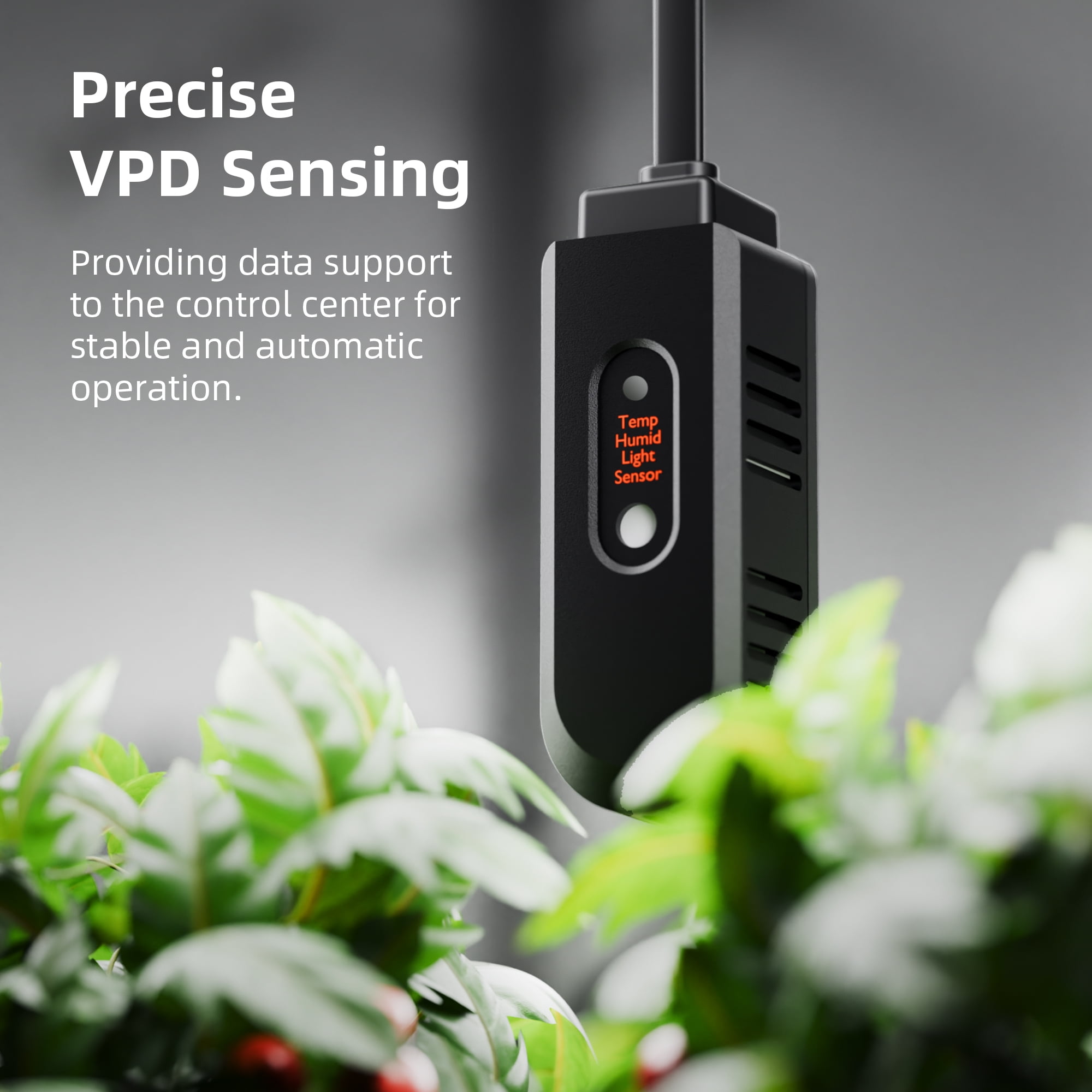
Get precise readings of temperature, humidity, and VPD right from your smartphone with the Spider Farmer App.

Fast
Shipping

Free
Return*

Secure Packaging

100% Original Products

PCI DSS Compliance

ISO 27001 Certified



Note: Step Down Voltage Transformer required for using electronics products of US store (110-120). Recommended power converters Buy Now.


What Stands Out
Smartphone Control
Easily manage your grow setup through a dedicated app, allowing you to automate functions and monitor performance remotely for maximum efficiency and convenience.
Energy Efficient Design
The AC10 Power Strip is engineered to minimize energy consumption while ensuring optimal power distribution, helping users save on utility bills without compromising on performance.
Multiple Outlets
Equipped with multiple outlets and smart scheduling, this power strip allows users to connect various devices, making it versatile for different grow setups and enhancing overall productivity.
Product Details
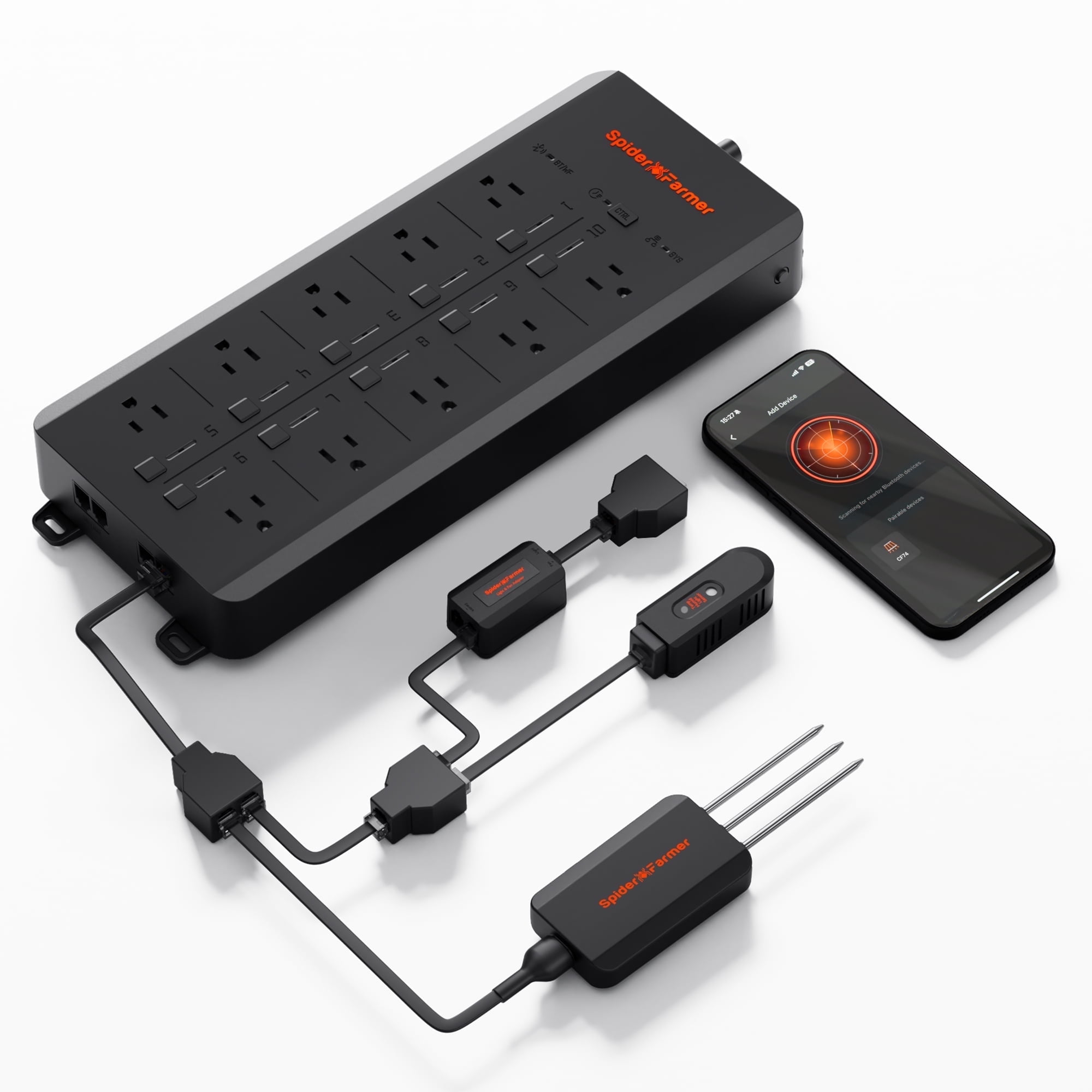
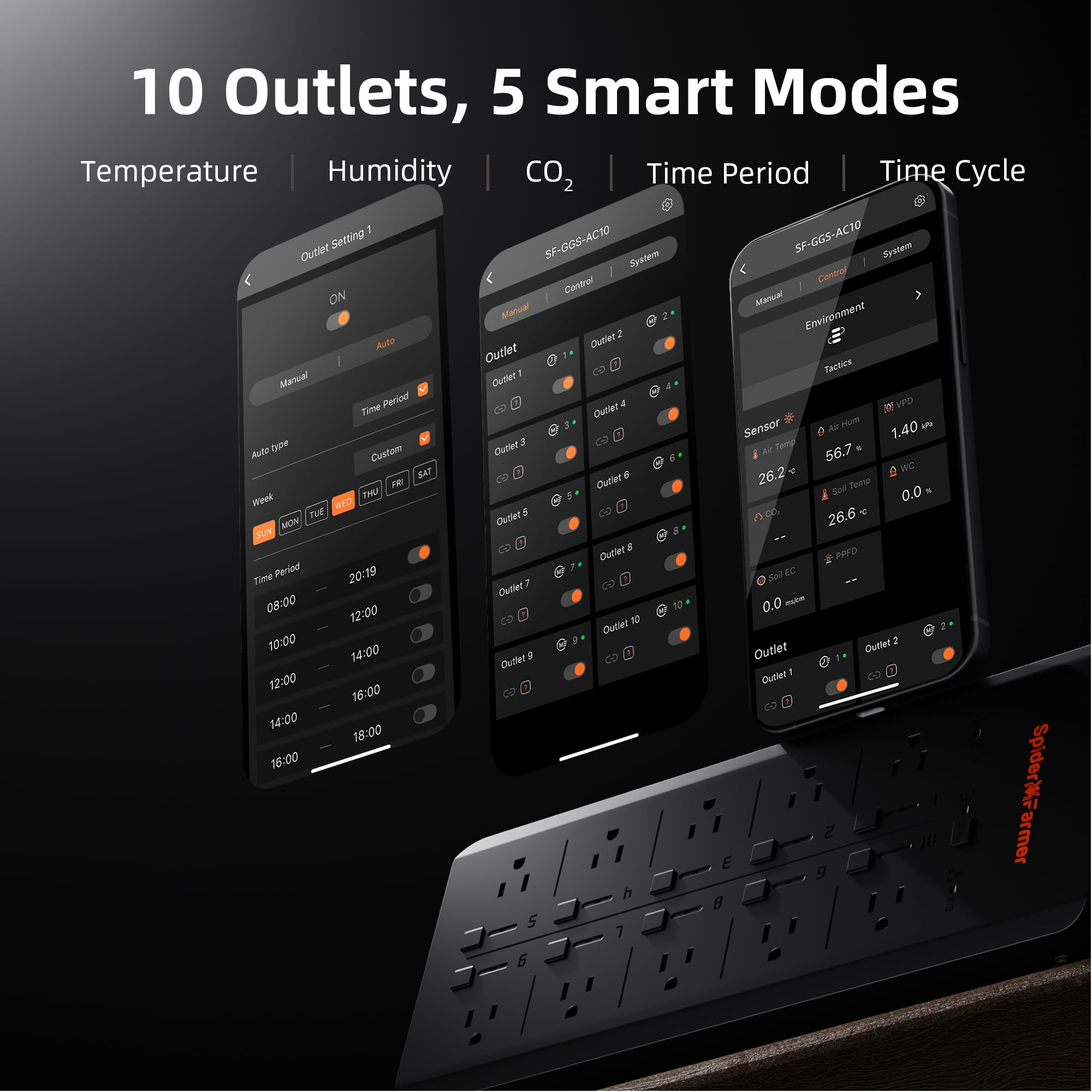
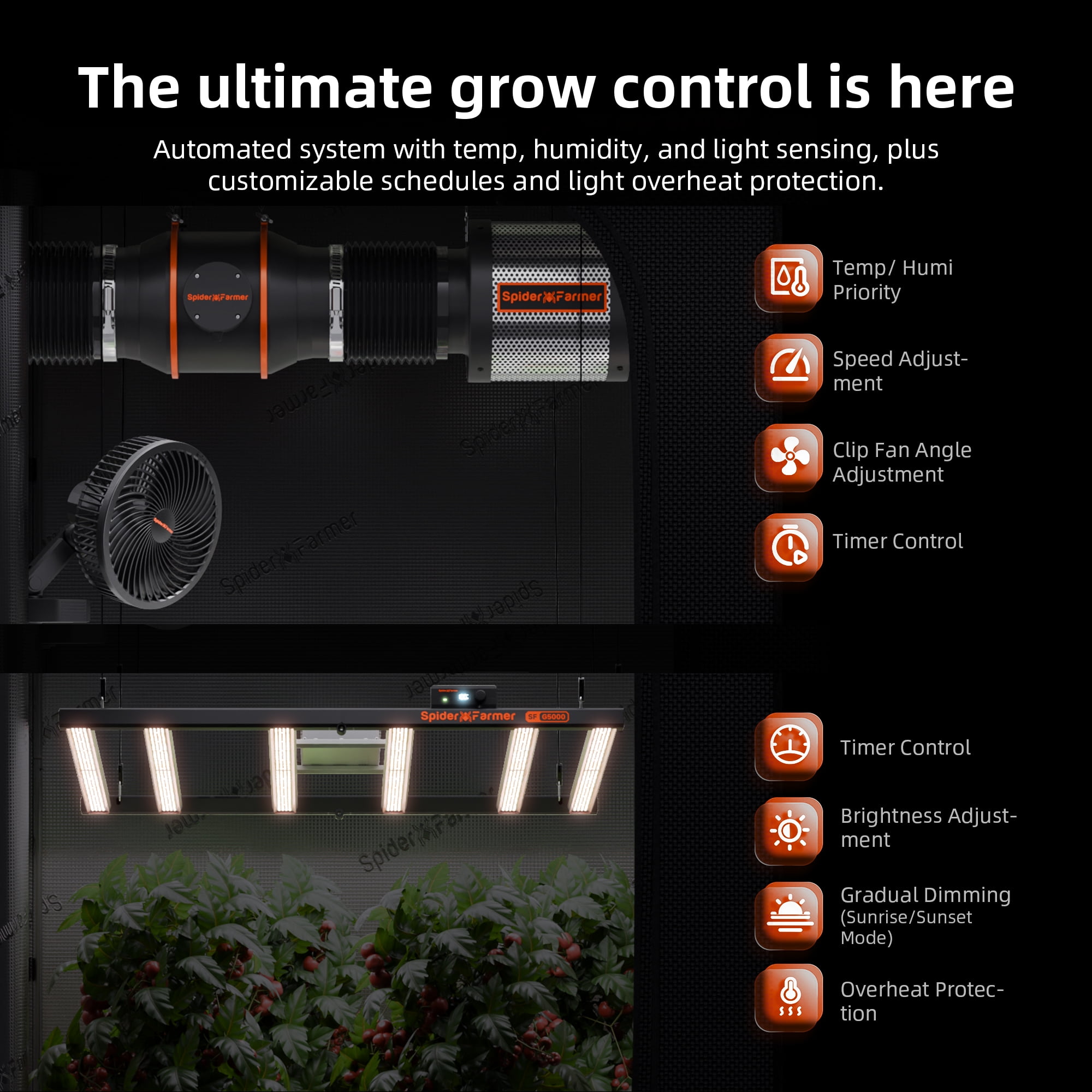
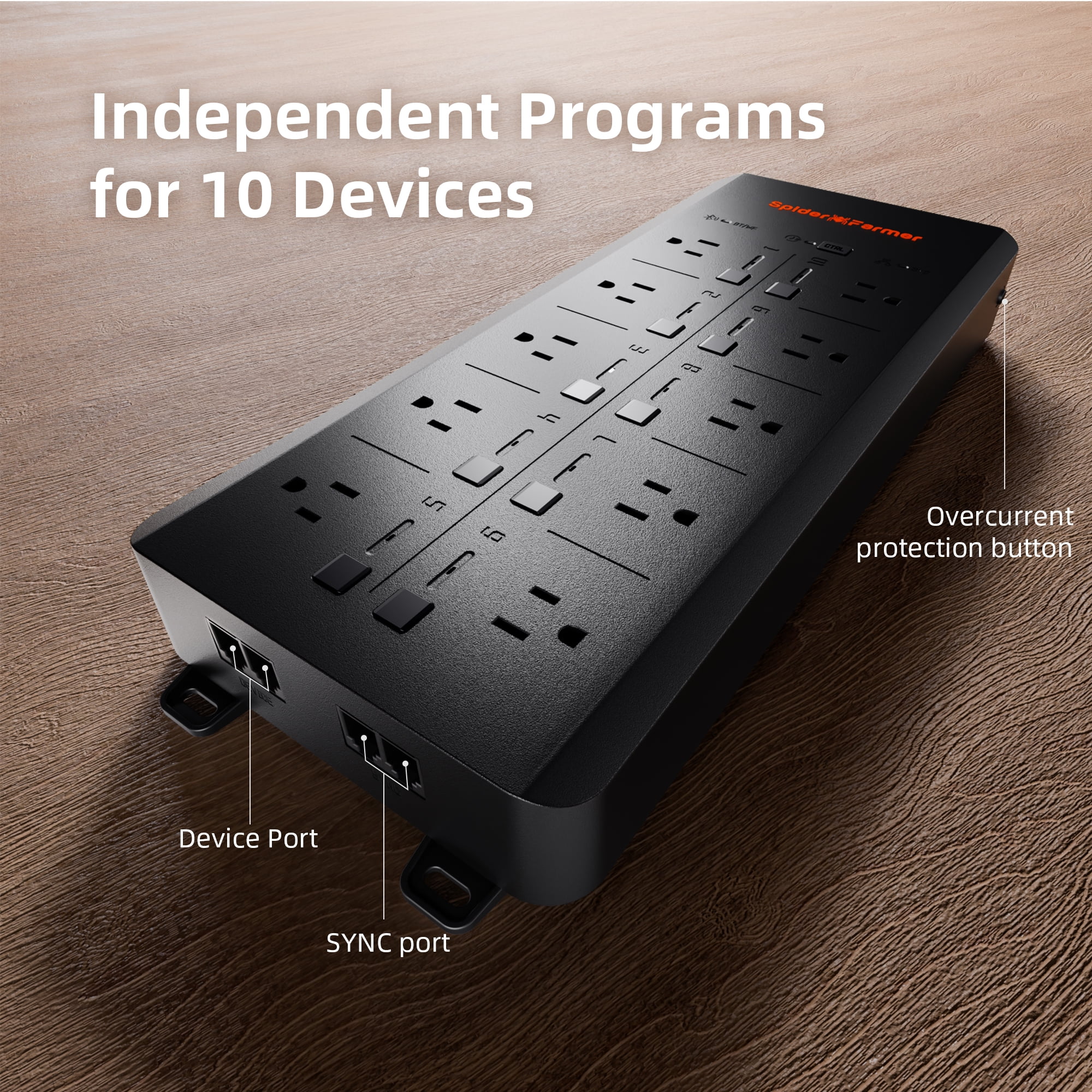
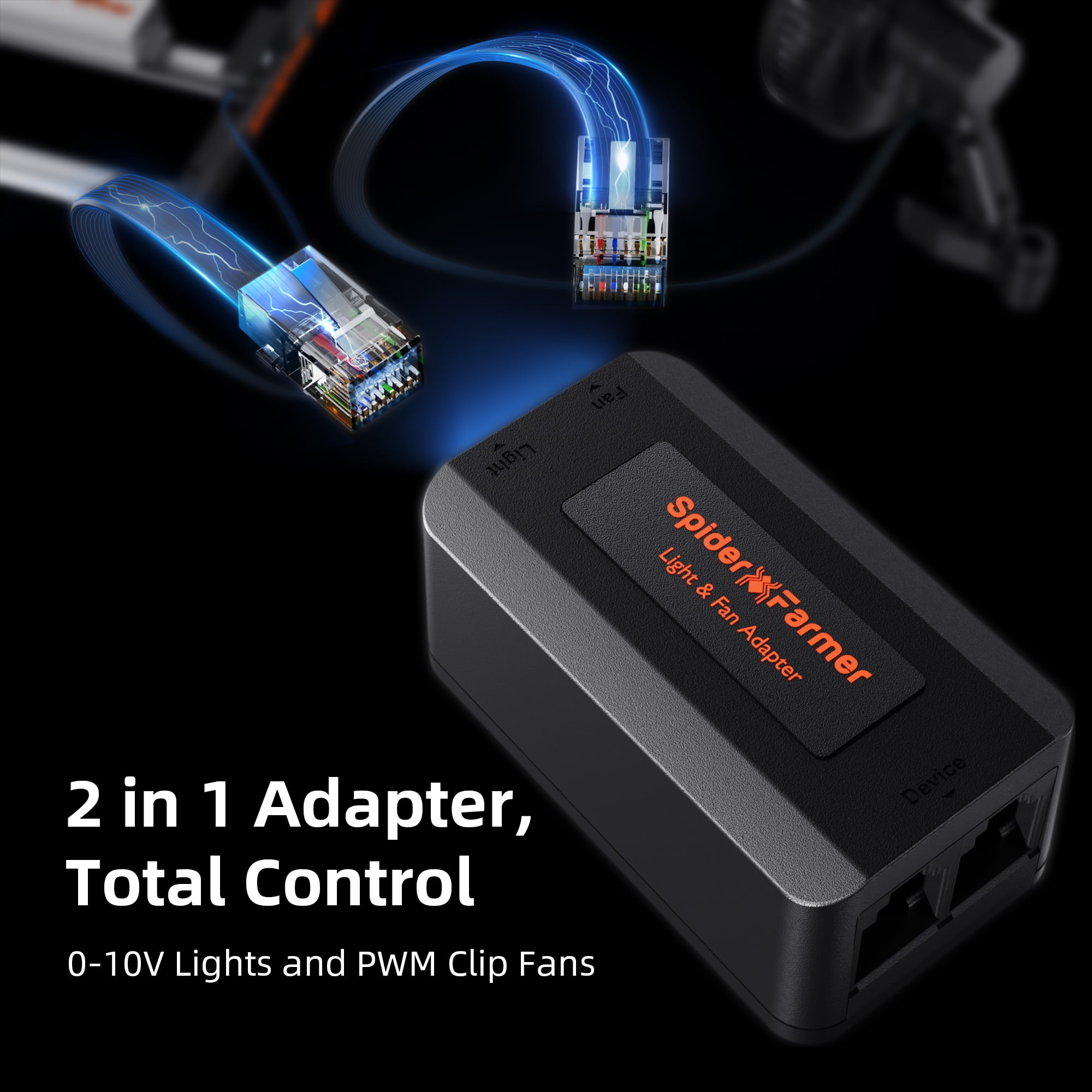
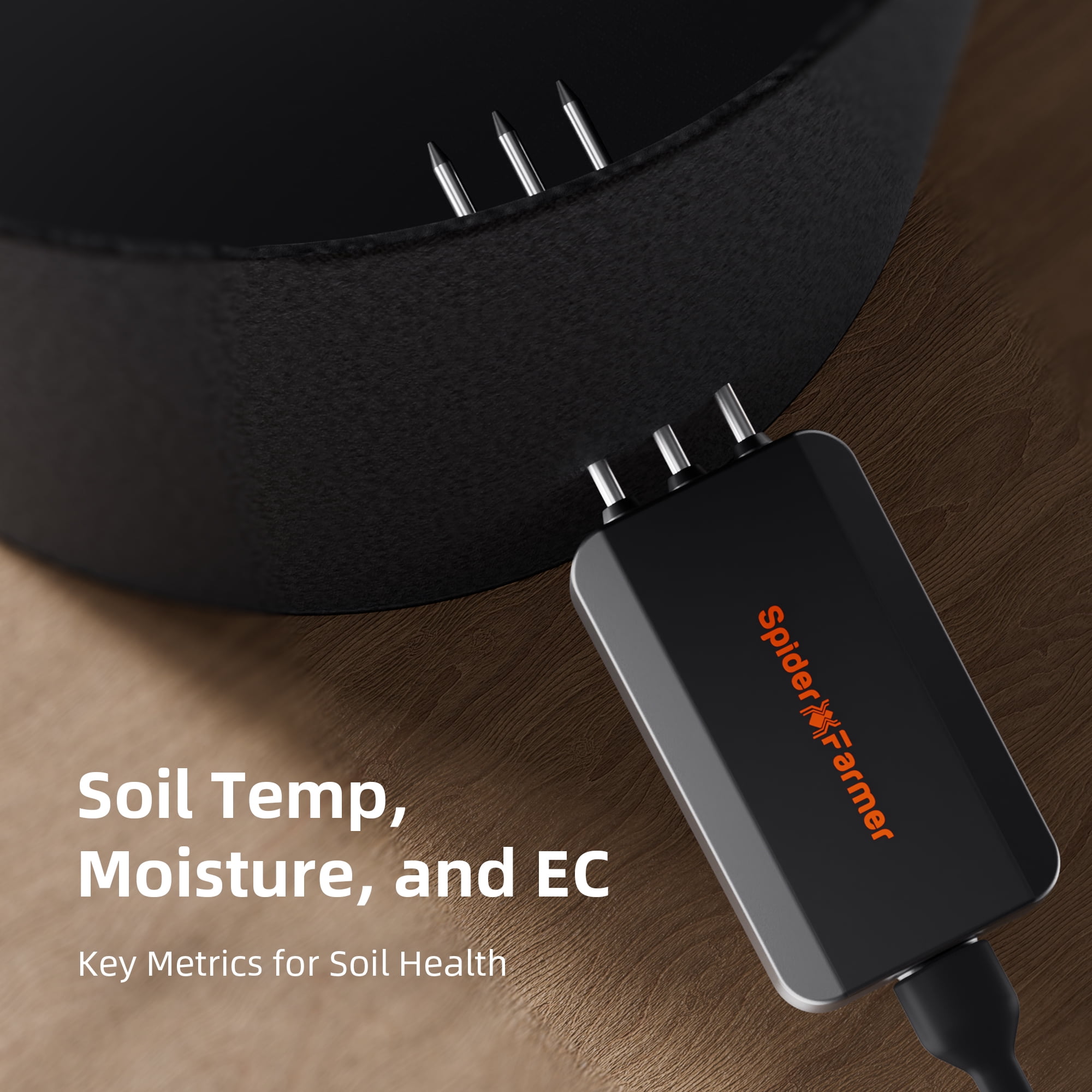
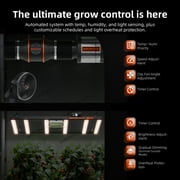
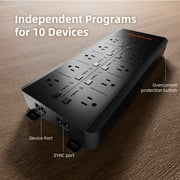
- Spider Farmer GGS AC10 Power Strip Kits Spider Farmer App Functions and Settings 1. Download the Spider Farmer App Search for 'Spider Farmer' on Google Play or the App Store, and download the app. 2. Language, Signup, and Bluetooth Once you open the app, pick your language and sign up with your email. The app will then ask you to turn on Bluetooth. 3. Finding and Identifying Your Spider Farmer Devices 3.1 Starting Device Search Tap the plus icon to begin searching for nearby Spider Farmer devices. Detected devices will appear in the app, and you can identify them by their icons. 3.2 Troubleshooting Device Discovery If you can't locate your device, try the following steps based on the device type: If you have a Spider Farmer AC5/AC10 Power Strip: Press and hold the Ctrl button for 3 seconds to reset Bluetooth. If you have an LED Grow Light with a Digital Display: Press and hold the knob for 3 seconds, then release to restore factory settings. If you have a Spider Farmer GGS Controller: Select “Restore Factory Settings” from the interface. Note: Restoring factory settings will delete all automation schedules and user connections. 3.3 Setting Up the SF-GGS-AC10 Kit If you’ve purchased the SF-GGS-AC10 Kit, follow these steps: Use the RJ12 cable to connect devices according to the provided diagram. (If you need to control the LED grow light, the GGS 2-in-1 adapter (included in this kit) is required. You’ll need to plug the light into the “light” port on the adapter.) Ensure all devices are plugged into a power source, as the RJ12 cable does not provide power. The sensor only requires the RJ12 connection. Open the app, search for your devices, and tap the Power Strip icon to start the setup. 4. What Data Can You View on the Spider Farmer App? 4.1 Time Display: Quickly check the current date and time in your grow room with ease. 4.2 Day/Night Icon: See at a glance if your grow tent is in its light or dark cycle. A sun icon appears when light is detected, and a moon icon shows during dark periods. This feature allows you to monitor light conditions without opening the tent. (Requires the temperature, humidity, and light sensor included in this GGS AC5 Power Strip kit) 4.3 VPD and Temperature/Humidity Display: Get precise readings for temperature, humidity, and Vapor Pressure Deficit (VPD). (Requires the temperature, humidity, and light sensor included in this GGS AC5 Power Strip kit; Tip: Place the sensor at canopy level in the center of your growing area for the most accurate readings.) 4.4 Soil Data Display: Ideal for soil growers, this display shows real-time soil temperature, moisture, and Electrical Conductivity (EC). 4.5 CO₂ Display: (This kit doesn’t include the sensor needed to measure that data) With an optional CO₂ sensor, you can directly monitor CO₂ levels, enabling you to optimize CO₂ concentration for faster growth. (Note: This sensor is sold separately and is not yet available in Europe—stay tuned.) 4.6 PPFD Display: (This kit doesn’t include the sensor needed to measure that data) Please note: To see PPFD data, you'll need an extra PPFD sensor, which isn’t included in this kit. It’ll be sold separately in the future, but it's not available yet. 4.7 Sensor Placement Recommendations 5. Preparations Before Configuring Device Operations 5.1 Environmental Conditions Settings 5.1.1 Day/Night Cycle Optimization: Define the time range for day and night periods. The day starts from the day start time and ends at the night start time, while night starts from the night start time and ends at the day start time. If both start times are set the same, the system defaults to 24 hours of day mode. 5.1.2 Environmental Conditions Settings: Set target values for temperature, humidity, and CO₂ levels for both day and night, along with the deadband range. 5.1.3 Deadband Control: Maintain stability. For example, if the daytime temperature is set to 70°F with a deadband of 3°F, there is an upper and lower threshold. Cooling will activate at 73°F and stop once it reaches 70°F, while heating will activate at 67°F and stop at 70°F. 5.2 Local Time Settings Set your local time on the controller. This is necessary when setting operating times, such as for lights. 5.3 Multi-Language Support Our system offers multiple language options to ensure ease of use, including English, German, French, Spanish, Italian, and Chinese. 6. How to Control LED Grow Lights (G Series/ SE Series/ SF Series) (Note: A GGS 2-in-1 Adapter is required to control LED grow lights through the GGS Power Strip. This adapter is included in the kit.) 6.1 Manually Adjust Brightness for Precise Light Control: Set the brightness anywhere from 10% to 100%, giving you full control over light intensity at any time. For quick shut-off, setting the brightness to 0% will turn the lights off. Any setting between 0% and 10% automatically operates at 10% brightness. 6.2 Automate Your Lighting Schedule: 6.2.1 Start and End Times: Easily set specific on and off times for your lights, so your plants get consistent light cycles without manual adjustments. 6.2.2 Brightness Levels: Define the exact brightness level for each cycle, ensuring your plants receive optimal light intensity. 6.3 High-Temperature Protection for Your Plants and Equipment: 6.3.1 Go Dark: Set a high-temperature threshold for dimming. When the ambient temperature reaches this threshold, the lights will automatically reduce brightness to 11% to prevent overheating. 6.3.2 Turn Off: Set a higher temperature threshold for complete shutdown. When this threshold is reached, the lights will automatically turn off to protect your plants and equipment. 6.4 Sunrise/Sunset Simulation: Activate this feature to simulate natural light changes, with the brightness gradually increasing at sunrise and gradually decreasing at sunset. Example: If you set the light schedule from 8:00 AM to 8:00 PM with brightness at 100% and a 30-minute sunrise/sunset setting, the lights will gradually increase from 0% to 100% brightness between 8:00 AM and 8:30 AM. In the evening, starting at 7:30 PM, the brightness will gradually decrease from 100% until the lights turn off completely at 8:00 PM. 7. How to Control Clip Fan, Inline Fan, and Other Devices Notes: Spider Farmer App: Currently, the Device section in the Spider Farmer app includes options for fans (Clip Fan) and blowers (Inline Fan). The next-generation Clip Fans and Inline Fans with RJ12 ports will support control through this section. Controlling Devices via the GGS AC5 Power Strip: If you already own or are considering purchasing our Clip Fan or Inline Fan, you can still control them by plugging them into the GGS AC10 Power Strip and using the Outlet section in the app to control each outlet. The power strip also supports other devices, such as supplemental light bars, humidifiers, and more. To control and automate your devices, simply plug them into the GGS AC10 Power Strip, which includes sensors that can be used for automation. The GGS AC10 Power Strip has 10 outlets, each of which can be controlled through the Spider Farmer APP (or GGS Controller), with customizable time and mode settings. Currently, for fans (Clip Fan) and blowers (Inline Fan), you can control each outlet through the Outlet section in the app. 7.1 Manual Mode vs. Auto Mode Manual Mode: In this mode, you can manually turn each outlet on or off in real-time, giving you instant control over your devices. Auto Mode: In Auto Mode, you can set up automated controls with time periods, time cycles, temperature control, humidity control, and CO2 control for each outlet. 7.2 Auto Mode Explained Time Period Mode:Set specific on/off schedules for each outlet. Choose exact times for each day of the week or create recurring daily schedules. This allows you to provide consistent light, air circulation, or other resources precisely when your plants need them. Time Cycle Mode: Set power cycles to control when your devices turn on and off throughout the day. For example, you could set a fan to run for 1 hour, turn off for another hour, and repeat the cycle as needed. This is ideal for managing airflow, lighting intervals, or other timed needs in your grow room. Temperature Mode:Control devices based on temperature. For example, if you plug a Clip Fan into an outlet set to Temperature Mode and specify it as a cooling device, the fan will automatically turn on when the temperature exceeds your target—keeping the environment stable without manual adjustments. Humidity Mode:Easily manage humidity levels. If you connect a humidifier, set the outlet to Humidity Mode, and specify it as a humidifying device, the outlet will power on to increase humidity when levels drop below your desired range. This way, you can maintain optimal humidity for your plants without constant monitoring. CO₂ Mode:Manage CO₂ levels by connecting a CO₂ device. Set the outlet to CO₂ Mode and specify whether it should add or vent CO₂. The outlet will activate based on your target CO₂ levels, giving you precise control over your grow room environment. 7.3 Important Note for Inline Fans with Digital Temp/Humidity Controller When using an Inline Fan with a digital temperature and humidity controller, do not use the fan’s built-in sensor. Instead, use the temperature, humidity, and light sensors that come with the GGS AC10 Power Strip Kit to control your device automatically. The kit includes: 1 x GGS AC10 Power Strip 1 x temperature, humidity, and light sensor 3-in-1 soil sensor 1pc 2-in-1 adapter 1pc (for connecting the lights to the controller) 2.5m RJ12 cables 7pcs (for connecting devices) 0.25m RJ12 cables 2pcs (for connecting between telephone line splitters) 3 x RJ12 telephone line splitters (for expanding device connections) 6 x hook and loop straps (for organizing cables) You may also want to know Recommended For Payment Shipping Warranty Feedback Return Grow tents Grow rooms Large indoor grows Vegetative growth & flowering Full-cycle growing from seedling to flowering Soil, hydroponic, aeroponic or aquaponic systems
| Rec. use | Commercial, Residential |
| Brand | Spider Farmer |
| Features | Smart |
| Rec location | Indoor |
| Light bulb type | LED |
| Is light bulb included | N |
| Has nrtl listing certification | N |
| Color type | Black |
| Model | SF-GGS-AC5 Kits |
| Package Weight | 13 Pound |
Who Should Buy?

-
Indoor Gardeners
Perfect for indoor gardeners who want to automate their lighting and watering schedules efficiently via an app.
-
Tech-Savvy Users
Ideal for tech-savvy individuals comfortable with app-based controls and smart home integrations for advanced automation.
-
Small Space Growers
Beneficial for those with limited space, offering compact design and smart power management for multiple devices.

-
Non-Tech Users
Not ideal for users who are uncomfortable with app interfaces and smart technology, preferring traditional setups.
Product Description
Have any Query? Chat with us
Customer Questions & Answers
-
Question:
How do I connect my devices to the Spider Farmer App?
Answer: Simply download the app, sign up, and tap the plus icon to begin searching for your Spider Farmer devices. -
Question:
What sensors are required for accurate readings?
Answer: The temperature, humidity, and light sensor included in the GGS AC5 Power Strip kit is required for precise readings. -
Question:
Can I troubleshoot connection issues with my devices?
Answer: Yes, reset Bluetooth by holding the Ctrl button for 3 seconds or restore factory settings via the app for troubleshooting.
Spider Farmer All Grow Light Bulbs Editorial Review
The 2025 Spider Farmer Genius Grow System AC10 Power Strip Kit is designed for both commercial and residential use, making it a versatile choice for indoor gardening enthusiasts. The smart features of this power strip enable seamless control of your grow lights and devices, ensuring an efficient and effective growing environment. The sleek black design adds a modern touch to any grow setup. Although it does not include light bulbs, it supports LED types, which are energy-efficient and ideal for plant growth. This kit is perfect for those looking to optimize their indoor gardening experience with smart technology.
Customer Reviews & Ratings
1 customers ratings
-
5 Star
100%
-
4 Star
0%
-
3 Star
0%
-
2 Star
0%
-
1 Star
0%
Review this product
Share your thoughts with other customers
Pros
- Smart technology for improved plant growth
- Designed for commercial and residential use
- Sleek black design fits any setup
- Supports energy-efficient LED bulbs
- Easy integration into indoor gardens
Cons
- No light bulbs included in the kit
Platform Trust & Buyer Confidence

JK
Jasmin
Verified buyer
“Great products and very good service: very easy and very fast international delivery.”
9 September 2026 · via Trustpilot
AG
Anke
Verified buyer
“Wonderful online shopping experience, smooth transaction from the start. Payment method works conveniently and delivery is unexpectedly fast and reliable. You go the extra mile for service. What makes this even more amazing, you deliver to Namibia. I will remain a happy Ubuy customer and will increase my purchases for sure! Thank you!”
10 September 2026 · via Trustpilot
H
Hazel
Verified buyer
“Very easy to find the products what you need, and so fast delivery, that’s why I highly recommended to others costumers to used ubuy.”
10 September 2026 · via Trustpilot
O
Opaleye
Verified buyer
“I received exactly what I ordered I was skeptical about your site because that was my first time to order. But the order came timely and neatly packaged. I was not disappointed. Thank you.”
11 September 2026 · via Trustpilot
AC
Adele
Verified buyer
“Easy to find and order what you want on the website. Delivery is quick to the UK”
8 September 2026 · via Trustpilot
Secure Checkout
Global Delivery
Easy Returns
Genuine Products
Product Price History
Important information
- Limitations : For products shipped internationally, please note that any manufacturer warranty may not be valid; manufacturer service options may not be available; product manuals, instructions, and safety warnings may not be in destination country languages; the products (and accompanying materials) may not be designed in accordance with destination country standards, specifications, and labeling requirements; and the products may not conform to destination country voltage and other electrical standards (requiring use of an adapter or converter if appropriate). The recipient is responsible for assuring that the product can be lawfully imported to the destination country. When ordering from Ubuy or its affiliates, the recipient is the importer of record and must comply with all laws and regulations of the destination country.
- Not all the products listed on Ubuy are for sale, as Ubuy is a global search engine. Products are subject to export/trade regulations.
BWP 1963
Order now and get it around Friday, October 09
This item is not restrict in my country.(Please click on above link if this item is not restrict in your country, So our team will review and allow.)
QTY:
Only 10 items left in stock.
Secured transaction
PCI DSS compliant and ISO 27001:2022 certified, with encrypted payments and full buyer protection on every order.
Our Top Logistics Partners
Fastest cross-border delivery
Features & Benefits
- App-based system for easy control and monitoring.
- Connects seamlessly to Spider Farmer devices via Bluetooth.
- Real-time data display on temperature, humidity, and soil conditions.
- User-friendly setup with detailed troubleshooting tips.
- Monitor day/night cycles without opening your grow tent.
- Includes essential features like VPD and CO₂ monitoring.
Ubuy Assurance
Experience worry-free shopping with 100% original products, PCI DSS-compliant payment security, ISO 27001-certified data protection, the fastest cross-border delivery, free returns *, and secure packaging on every order.